
Ready to track what you own? Import your Steam library in one click — free, no spreadsheet.
Steam has your games. Steam has your playtime. Why would you add another app into the mix?
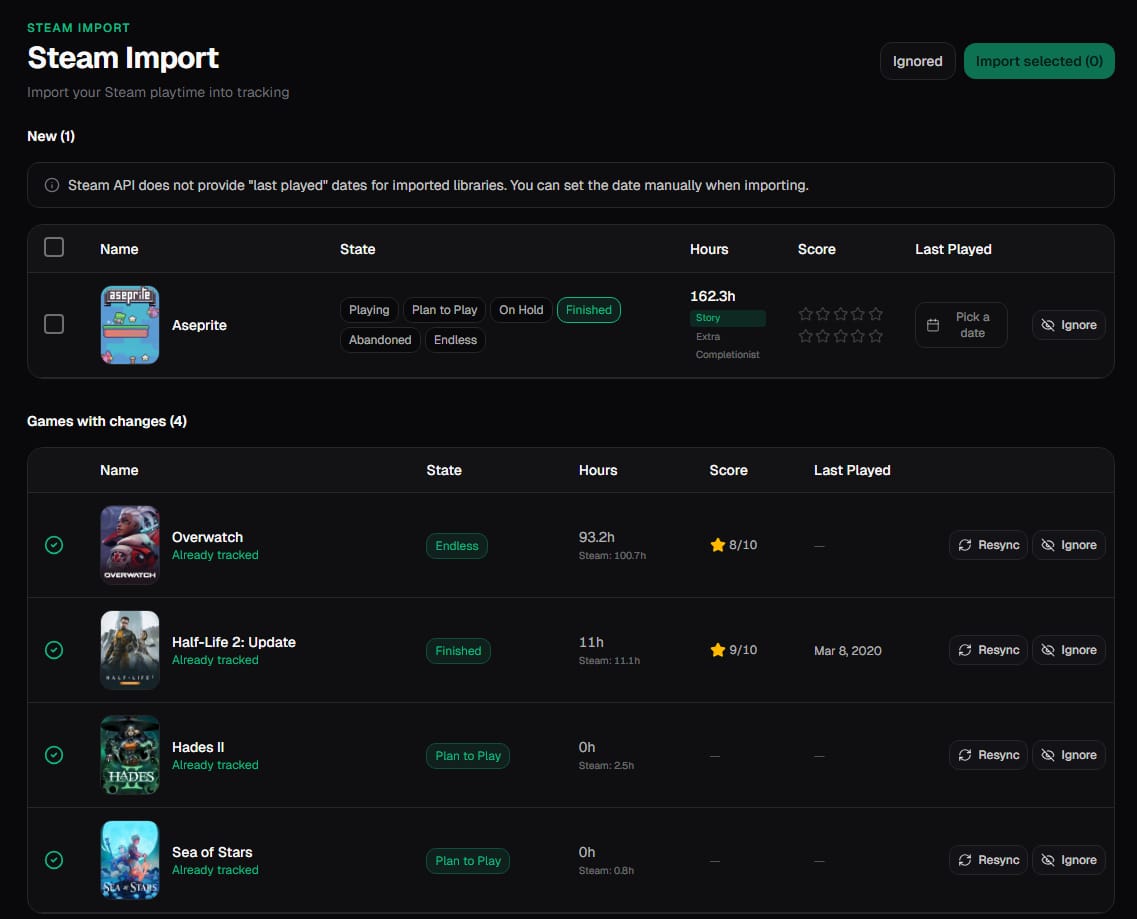
Steam is built for buying, not tracking
Steam's library view is a storefront with your purchases. It shows "last played" and total hours, but it doesn't help you decide what to play next, track what you've finished, or see your year in review. That's not criticism—Steam's job is distribution. A tracker's job is reflection.
One place for everything
If you've ever bought a game on GOG, Epic, or itch.io, you now have libraries scattered across launchers. A game tracker lets you add those manually while Steam fills itself in automatically. One backlog. One view.
After the Steam import, the free Windows desktop app can auto-track playtime across seven stores on the same account — Steam, Epic, GOG, Battle.net, EA, Ubisoft and Xbox PC — so hours outside Steam land in the same backlog.
Finish dates, not just playtime
Steam knows how long you've played. It doesn't know when you finished. Marking a game "completed" matters—it's the difference between "I've sunk 40 hours into this" and "I actually beat it." That distinction changes how you think about your backlog.
Your year in numbers
At the end of the year, wouldn't it be nice to see: games finished, total hours, top genres, longest game? That recap only exists if you've been tracking. Importing Steam is the fastest way to backfill your history.
It's a one-time setup
Connect Steam once. Your library syncs. From then on, you just update status as you play. No ongoing maintenance. The hardest part is deciding what to play first.
Also comparing playtime tools? See our HowLongToBeat alternative or read the full comparison.
Next step: Import your Steam library and mark what you are playing.