
Most “best backlog tracker” lists repeat feature grids. This one starts from a method, a real Steam import, and the jobs people actually hire these tools for: know how long a game is, remember what they own, and keep playing without a spreadsheet.
Last reviewed: 16 October 2026 · Author: WListDB Team
How we compared
We scored each product against five jobs, not a marketing checklist:
- Import a real Steam library without typing titles by hand.
- Show campaign length (Main Story / extras / 100%) only when the number is trustworthy.
- Keep Playing / Backlog / Finished states next to those times.
- Track PC sessions automatically across more than one launcher.
- Stay usable for free after the first week.
We imported a live Steam account into WListDB, walked the same library through Backloggd’s manual add flow, opened HowLongToBeat for the same five titles, and used Playnite as the local-library control. We did not invent missing numbers. If a product cannot do the job, the cell says so.
What we actually tested
- Steam import: Game details Public, “Keep total playtime private” unchecked. WListDB pulled owned games and Steam forever time in one flow. Backloggd still wanted titles added one by one. HowLongToBeat is not a library. Playnite already had the local installs — not the cloud library.
- Playtime quality: we compared community medians with HowLongToBeat on finite campaign games. When a live-service title showed hundreds of hours as “Main Story”, we treated that as a failure, not a feature.
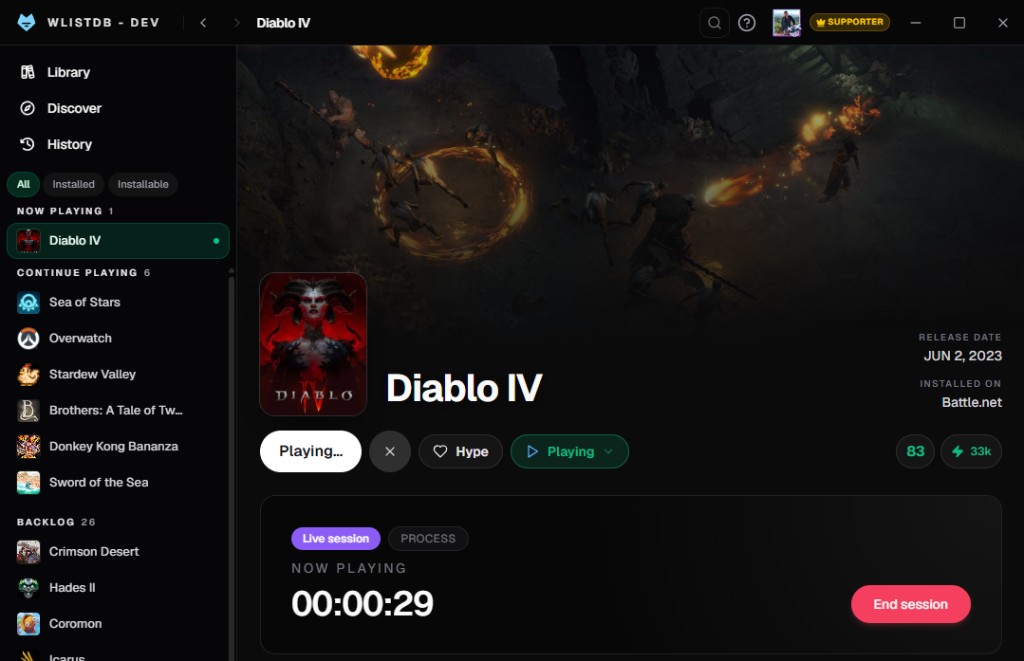
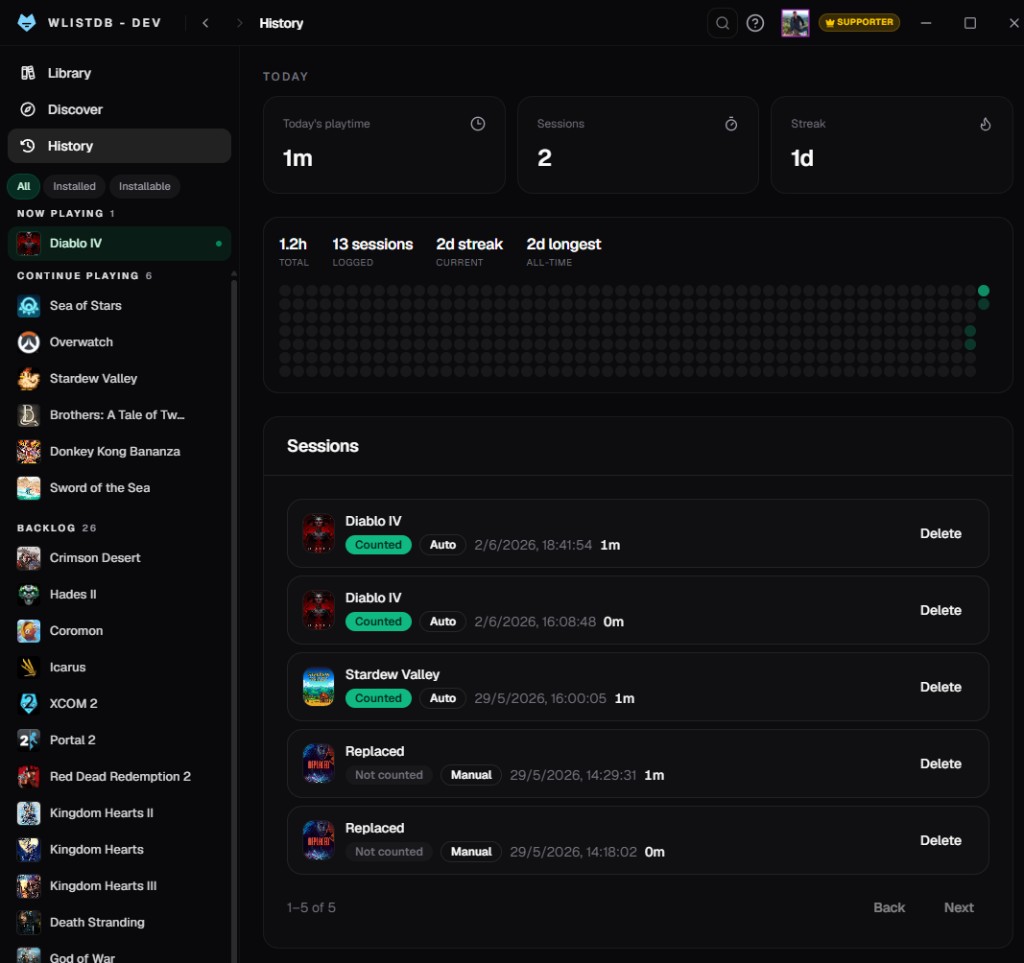
- Desktop: WListDB Desktop detected Steam, Epic and GOG sessions on the same account. Playnite can launch those stores locally. Backloggd and HowLongToBeat have no Windows tracker.
Evidence from the tracking pass
The screenshots below come from the same WListDB Desktop test. The first shows a live Diablo IV session being detected. The second shows the resulting session history, including whether each entry was counted automatically or added manually. This is the practical difference between a cloud backlog and a tracker that also observes play on the PC.
The short verdict
Use HowLongToBeat if you only want a duration. Use Backloggd if you want a social catalog and are willing to add games by hand. Use Playnite if you live on one Windows PC and want a local launcher. Use WListDB if you want Steam import, trusted campaign times, lists, and automatic playtime on the same account — web plus Windows.
WListDB
Strengths. One-click Steam import. Statuses, lists and reviews on the web. Windows app that logs Steam, Epic, GOG, Battle.net, EA, Ubisoft and Xbox PC. Community times are now published only when they pass a trust policy (finite game, enough samples or HowLongToBeat, monotonic Main ≤ extras ≤ 100%).
Weaknesses. Still a small site. Off-page mentions are thin. Some catalog times were historically messy; we would rather hide a number than invent one. Desktop is Windows-only.
Best for. Players who already own a Steam pile and want a backlog, not another social feed.
Backloggd
Strengths. Strong social catalog, reviews and lists. Familiar to people coming from Letterboxd-style logging.
Weaknesses. No Steam import. No automatic playtime. No HowLongToBeat-style breakdown on the page. You type the library.
Best for. People who want to write about games more than they want to empty a Steam queue.
Choosing between the two catalog styles? Read the direct Backloggd vs HowLongToBeat comparison.
HowLongToBeat
Strengths. The default answer for “how long is X?”. Huge poll sample. Clear Main / Extra / Completionist labels.
Weaknesses. Not a tracker. No library, no statuses, no Steam import, no desktop sessions. If you want to act on the number, you leave the site.
Best for. A single duration question.
Need those estimates inside a tracker? See the HowLongToBeat alternative.
Playnite
Strengths. Excellent local Windows library. Launchers in one shell. Extensions.
Weaknesses. Not a web tracker. No shared lists, no public game pages, no Steam-cloud import for a backlog you can open on your phone.
Best for. A single PC, local installs, power-user plugins.
Spreadsheets
They still work. They also rot. You will re-type Steam titles, lose session history, and argue with yourself about whether 14h 31m belongs in column D. A tracker exists so that argument can stop.
Comparison
| Job | WListDB | Backloggd | HLTB | Playnite |
|---|---|---|---|---|
| Steam library import | Yes | No | No | Local only |
| Campaign playtime | Trusted median + HLTB | No | Yes | Plugins |
| Backlog statuses | Yes | Yes | No | Yes |
| Auto PC tracking | 7 stores, same account | No | No | Local |
| Web + phone | Yes | Yes | Yes | No |
| Price | Free (optional $3.99/mo) | Free | Free | Free |
What we would tell a friend
If you searched “best backlog tracker 2026” because your Steam library is a graveyard, start with the Steam import. If you also play Epic or GOG on Windows, add WListDB Desktop. If you only needed a number, HowLongToBeat is still the right tab — then come back when you want to do something with it.